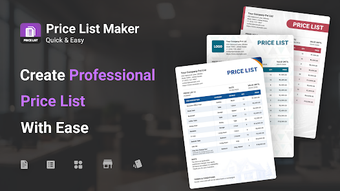
Mobile catalog creator for quick, customer-ready item lists
List Maker: Quick Easy, by AppPlanex, helps Android users assemble and manage product catalogues and listing documents directly on their phones. It replaces complex spreadsheets with a mobile-focused workspace where users add items, organise categories, and maintain separate business profiles for different ventures. Templates, live preview, and export to PDF or JPG enable on-device production and immediate sharing. Aimed at small business owners, retailers, wholesalers, and independent sellers who need fast customer-facing documents.
What it solves for sellers managing seasonal or temporary lists
The app addresses the common need to keep multiple catalog sets current by providing explicit status controls labeled Active, Inactive, and Expired. That status tracking maps to real workflows such as short-term promotions or seasonal assortments, so a single operator can retire a list without deleting it. This design reduces manual date tracking and supports maintaining separate catalog cycles across several ventures within the same installation.
How document composition supports a branded customer handout
Composition focuses on producing professional-looking deliverables: users can insert a business logo, append notes and terms, and attach product photos to individual items. The app includes a duplication mechanism to copy an existing list and adjust only a few entries, which speeds creation of variant handouts for different clients or regions. Output targets document-ready formats suitable for printing or mobile viewing.
How straightforward data entry and setup are for day-to-day use
The interface follows a native Android workflow, emphasising fast item entry and simple category navigation so single operators enter inventory without a laptop. The app removes the need to build complex spreadsheets by letting users create lists directly, and duplication and profile management cut repetitive setup work. It requires a modern Android release for optimal performance on standard business devices.
How it fits into sharing, locale settings, and vendor tooling
Export and distribution are designed for mobile communication channels and regional formats: lists can be produced as shareable image or document files and sent through email, messaging apps, or social networks. The app supports multiple currencies and configurable date formats, and the developer's portfolio includes other business utilities, signalling a focused product family approach. The visual presentation receives consistent praise for clean layout and readability.
Who benefits most and where it falls short
The app is a practical option for solo shopkeepers and small business owners who need on-device catalog creation and fast client distribution; Android-only delivery means desktop-centric teams may find it limiting. It suits sellers who prioritise quick, branded handouts and straightforward list cycles, but it is less appropriate for businesses that require heavy desktop editing or deep integration with accounting back ends.